Free offline PDF editor
PicoPDF Home Edition is a free productivity application developed by NCH Software. It is a document management software that allows you to edit your PDF documents easily. With it, you can edit or delete text, remove or move images, and even make layout adjustments.
Top Recommended Alternative
However, unlike other PDF editors, such as Adobe Acrobat DC, PicoPDF Home Edition does not work with PDFs created using Microsoft Word. It also does not open password-protected files. Moreover, even though it has a slider for adjusting the view, it does not work well as a PDF reader since it is slow to render pages.
What is PicoPDF Home Edition?
There are many PDF apps available for download. However, most of them do not allow you to modify the contents. The ones that do often tend to be online and require a license. PicoPDF Home Edition is a PDF management app that you can download for free and use without an internet connection. As noted, it lets you load your PDF, edit its texts and add images to your documents.
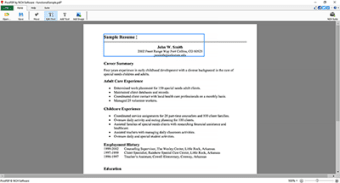
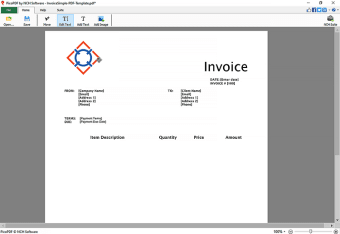
The program has a ribbon interface, although the Home tab has all the tools you need to edit your PDF. To open a document, you can drag and drop it into the GUI. You can also use the Open button to select your file. From there, you can explore the available functions to edit the existing text, add or remove images, and make changes to the layout of the document.
The app supports redo and undo although, there are no buttons for these. You will rely on keyboard shortcuts, Ctrl + Z and Ctrl + Y. However, as mentioned, the app does not work with PDFs created using MS Words. It also cannot open password-protected files. Additionally, while it uses little memory, it can shot upwards when editing text-heavy documents. Moreover, it can slow down when images are added.
Should you use it?
Overall, PicoPDF Home Edition is a handy app if you are always working with PDF documents. It comes with features that allow you to open and edit your PDFs. However, while it works as a basic text editor, it is not going to win prizes for its other functions. The app tends to slow down whenever you add or remove additional elements, such as boxes, images, and tables.